Downloading Applicant Response Transcripts
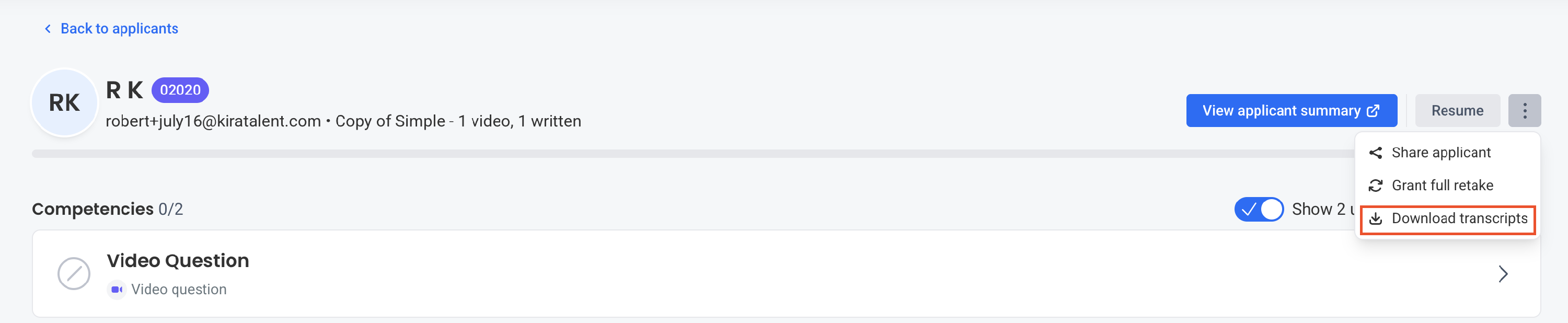
Admin and Staff users are able to download the transcripts for applicant responses to async assessments directly from our Review Platform. When viewing an applicant, you will see a three-dot menu in the upper right, with the option to Download Transcripts.

Upon selection, you will receive an email link to the CSV containing the following information:
- Interview name
- Applicant first name, last name, email, and date responded
- Competency name
- Unique question ID
- Question text
- Transcription text
Each response (i.e. each competency) will have its own row in the report.
Note that this feature is not standard, and must be enabled. Please reach out to your CS contact for more details on how to enable this feature.
Access Transcripts for an Assessment
Client Success must first enable video transcriptions for the assessment.
Once video transcriptions are enabled, Admin and Staff users can access transcript data for the assessment through the Reports Library section of the assessment.
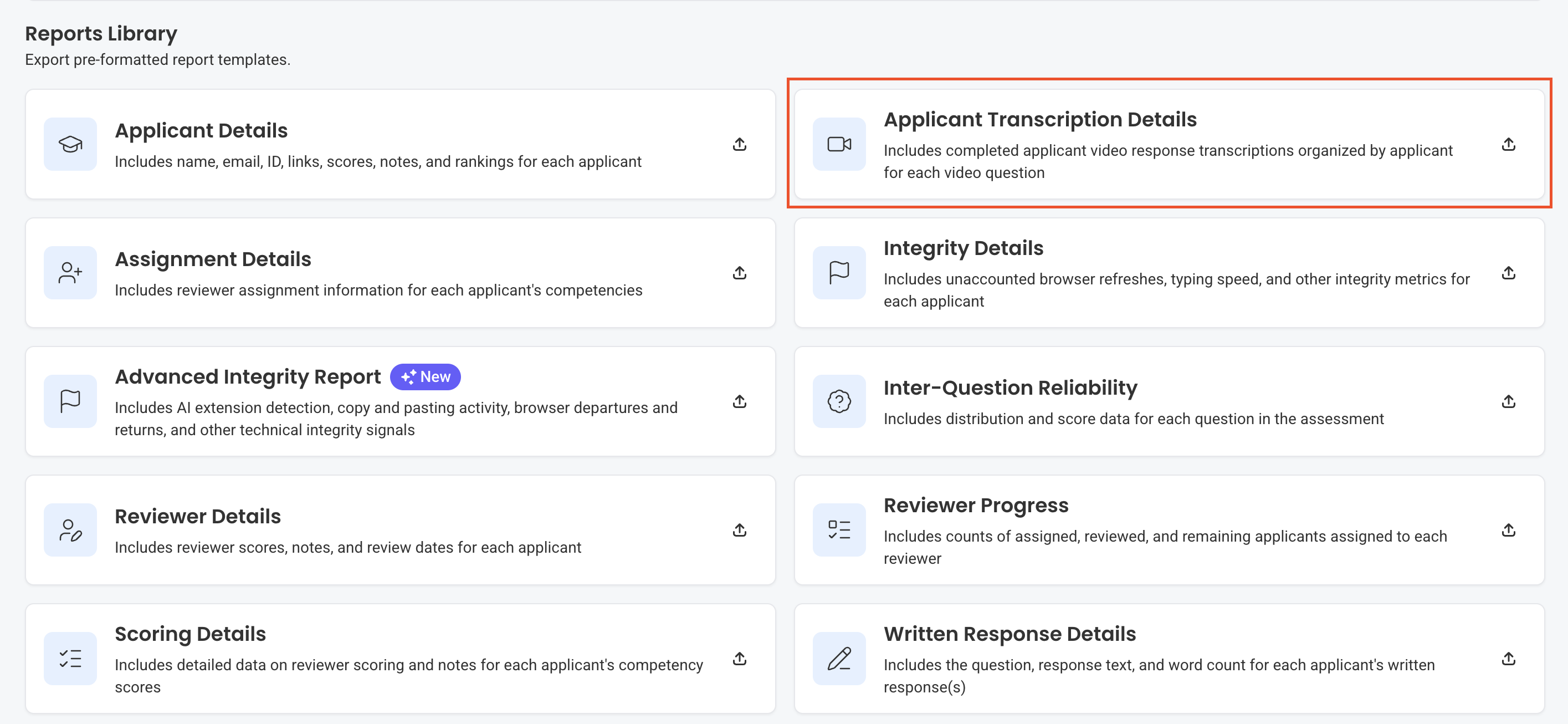
Use the Applicant Transcription Details report to access transcript data for applicants in the assessment.